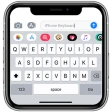
Greetings, fellow tech enthusiasts! Today, we'll delve into the realm of virtual keyboards, exploring the capabilities of Microsoft's SwiftKey AI Keyboard. If your default keyboard has left you yearning for something more intelligent, read on, as SwiftKey might just be the upgrade you've been seeking. Getting started with SwiftKey is a breeze, regardless of whether you're using an Android or iOS device. Simply head to your respective app store, download the application, and follow the straightforward installation process. Upon launching the app, you'll be greeted by a friendly tutorial that guides you through its impressive features, ensuring you can harness its full potential. One of the standout aspects of SwiftKey is its extensive customization options. Tailor the keyboard's appearance to match your mood or device's aesthetic, with a wide array of themes available, both free and paid. For the creatively inclined, you can even design your own unique theme, adding a personal touch to your typing experience. The true magic of SwiftKey lies in its AI-powered predictive text functionality. By learning your writing style, including your slang, nicknames, and emoji preferences, the keyboard becomes uncannily accurate in anticipating your intended words. This not only streamlines the typing process but also feels like having a personal assistant that knows exactly what you want to convey, sometimes even before you do. Swipe-to-type functionality further enhances the typing experience, allowing you to glide your fingers across the keyboard and watch as SwiftKey predicts the word you're aiming for. This efficient and enjoyable method serves as a great alternative to the traditional tap-and-type approach. For those who navigate multiple languages, SwiftKey offers seamless multilingual support. Effortlessly switch between languages without the need to manually adjust settings, as the keyboard adapts to your linguistic needs. Regarding privacy and security, SwiftKey takes these concerns seriously. The application refrains from learning from sensitive fields like passwords or financial information, and your personalized data is stored locally on your device, rather than in the cloud, providing an additional layer of protection. In conclusion, Microsoft's SwiftKey AI Keyboard is more than just a virtual input tool; it's a smart, adaptive, and customizable typing assistant that elevates your digital communication experience. Whether you're seeking speed, multilingual capabilities, or a personalized touch, SwiftKey delivers on all fronts. So, if you're ready to enhance your typing prowess, give this remarkable keyboard a try and witness the transformation in your digital interactions.
Like any app, Microsoft SwiftKey AI Keyboard has its pros and cons. Here are some of the main ones:
Pros:- Highly customizable keyboard layout.
- Supports multiple languages seamlessly.
- Built-in AI for predictive text.
- Smooth and responsive touch interface.
- Regular updates with new features.
- Can drain battery quickly.
- Occasional lag on older devices.
- Requires internet for some features.
- Limited theme options in free version.
- May collect user typing data.