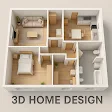
Designing a new home or reimagining existing spaces can be a daunting task, but the right tools can make all the difference. Enter Floor Plan Creator, a versatile app available on both Android and iOS platforms, which has become a game-changer for interior design enthusiasts and professional architects alike. One of the standout features of Floor Plan Creator is its user-friendliness. Unlike complex design software, this app makes it effortless to start crafting your dream space. Even if you're not a seasoned designer, the intuitive interface allows you to seamlessly drag and drop elements, enabling you to quickly put together a rough sketch of your desired layout. The real-time 3D visualization feature is particularly impressive, as it allows you to view your space from various angles. This functionality proves invaluable in identifying potential issues before they become costly mistakes, as you can easily visualize how different furniture pieces will fit within your rooms. Another noteworthy feature is the ability to import existing plans. If you have blueprints in PDF or image formats, you can seamlessly incorporate them into the app and continue your design process without interruption. This capability saves time and streamlines the workflow, as you don't have to start from scratch. The level of customization offered by Floor Plan Creator is truly remarkable. Whether you want to adjust wall thickness, add doors and windows, or tweak color schemes, the app provides the flexibility to make changes as you see fit. This level of control allows users to spend hours refining their designs, with the app handling the complexities with ease. Furthermore, the app's cloud synchronization feature is a lifesaver for those working on multiple devices. You can effortlessly save your projects to the cloud and access them from your phone, tablet, or computer, ensuring that your latest designs are always at your fingertips. While the app is undoubtedly powerful, it does come with a slight learning curve for those seeking to fully harness its capabilities. However, with a bit of practice, users can quickly become proficient in navigating the app's advanced features. It's worth noting that while the app is free to download, some features are locked behind a paywall. For those who plan to undertake more than just a couple of projects, investing in the premium version may be a worthwhile consideration, as it unlocks the full potential of Floor Plan Creator. In summary, Floor Plan Creator is a robust and versatile tool that caters to a wide range of users, from novice interior design enthusiasts to seasoned professional architects. With its user-friendly interface, advanced features, and seamless cloud integration, this app has the potential to transform the way you approach home design. So why not give it a try and see how it can elevate your design process?
Like any app, Floor Plan Creator Home Design has its pros and cons. Here are some of the main ones:
Pros:- Intuitive user interface
- Supports 3D floor plans
- Real-time collaboration
- Large library of objects
- Export in various formats
- Limited free features
- High learning curve
- Occasional bugs
- Requires internet connection
- No landscape mode